



What personal information should you safeguard?
Some 10 million identity thefts happen in the United States every year. Taking extra steps to protect your personal information—and knowing what information you need to safeguard—is the best way to prevent identity theft from happening to you.


Some 10 million identity thefts happen in the United States every year. Taking extra steps to protect your personal information—and knowing what information you need to safeguard—is the best way to prevent identity theft from happening to you. Let’s review this information to help you protect yourself as much as possible:
Low Sensitivity
Among the information considered “low risk” in regard to personal information sensitivity is your full name, address, and phone number.
Medium Sensitivity
Information regarded as “medium” in terms of sensitivity includes your date of birth, place of birth, and mother’s maiden name.
High Sensitivity
The most sensitive information to protect includes your bank account numbers, social security number, pin numbers, credit card numbers, and passwords.
Other Sensitive Information
Additional sensitive information likely to attract identity thieves includes your usernames, places of employment, medical records, employment history, residential history, children’s names and dates of birth, and even anniversary dates.
What You Can Do Offline
There are numerous ways to protect your information offline as well as online. Offline tasks include locking all financial documents and records within your home in a safe place. Consider investing in a small safe to further protect important documents.
It also helps to limit the amount of information you carry. Take only what you need on a daily basis, such as your identification, ATM card, and credit cards, but only the ones you use on a regular basis. If you have a credit card in your wallet that you never use, put it in a safe place. Never keep your social security card in your wallet, and leave any other bank information at home.
Another way to protect yourself offline is to shred sensitive information, including credit card offers and applications, receipts, insurance forms, physician statements, checks, bank statements, and old credit cards. If you don’t need it anymore, get rid of it, but not before shredding. Identity thieves are notorious for looking through trash and applying for credit cards in other people’s names, so ensure that doesn’t happen to you. Many communities host shredding events where you can shred your documents safely.
It also helps to destroy labels on prescription bottles before throwing them out, and to request a hold on your mail while on vacation. If a company is asking you for information and you aren’t sure why, just ask.
What You Can Do Online
Keeping your information secure online involves removing any pertinent data that’s stored on your computer before you get rid of it. Just because the device is on its last legs doesn’t mean it hasn’t stored a wealth of personal information. The same is true of your mobile devices.
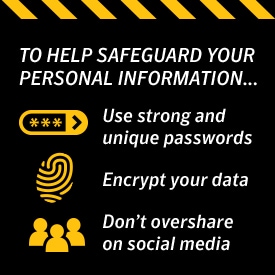
Using strong passwords is key to protecting your information online, so avoid using the same, easy-to-crack passwords, no matter how much you love your pet. Infuse each password with numbers and symbols to make it as difficult as possible to figure out.
Another way to safeguard your personal information online is to encrypt your data. Keeping your browser secure via encryption software guards online transactions, as it scrambles information sent over the Internet. Look for a “lock” icon on your browser status bar to make certain the information you send is protected. You should also use quality security software on all of your devices, and remember to update them regularly.
Protecting your information online also means not oversharing on social media. Make your Facebook page private, and do the same with Twitter and Instagram if you have the habit of posting about where you are and what you’re doing all the time. The less you share on social media, the less chance there is of someone taking advantage.
Wi-Fi is another method by which identity thieves and hackers can steal your information, so stick to protected Wi-Fi options instead of using a different one every day at a different coffee shop. Stay alert of phishing emails as well, and know what to look for. In other words, don’t ever open a file sent from someone you don’t know.
Know what data is the most sensitive, and do everything you can to protect it!
Editors’ note: Our articles offer educational information and are written to raise awareness about important topics in Cyber Safety. Norton products and services may not protect against every type of threat, fraud, or crime we write about. For more details about how we research, write, and review our articles, see our Editorial Policy.






Want more?
Follow us for all the latest news, tips and updates.